
The integration connects through OAuth. When you set it up, you'll be redirected to Vanta to approve the connection, and Moxso stores the returned access tokens. If the access token expires, Moxso refreshes it automatically.
When the integration syncs, Moxso finds employees with a valid course completion and sends a training status record to Vanta for each one. The record includes the employee's name and email, a link to their Moxso certificate, the training name, the completion status, and the compliance frameworks the training covers.
The current training mapping is Security Awareness Training, marked as complete, fulfilling ISO 27001 and SOC 2.
The integration does not create, update, or remove employees in Moxso.
Unlike the Drata integration, which uploads certificate evidence in response to a list of employees from Drata, the Vanta integration pushes completed training records directly to Vanta without first checking for a list of users.
Before you begin
You'll need an admin account in Vanta to authorize the connection.
Connect Vanta to Moxso
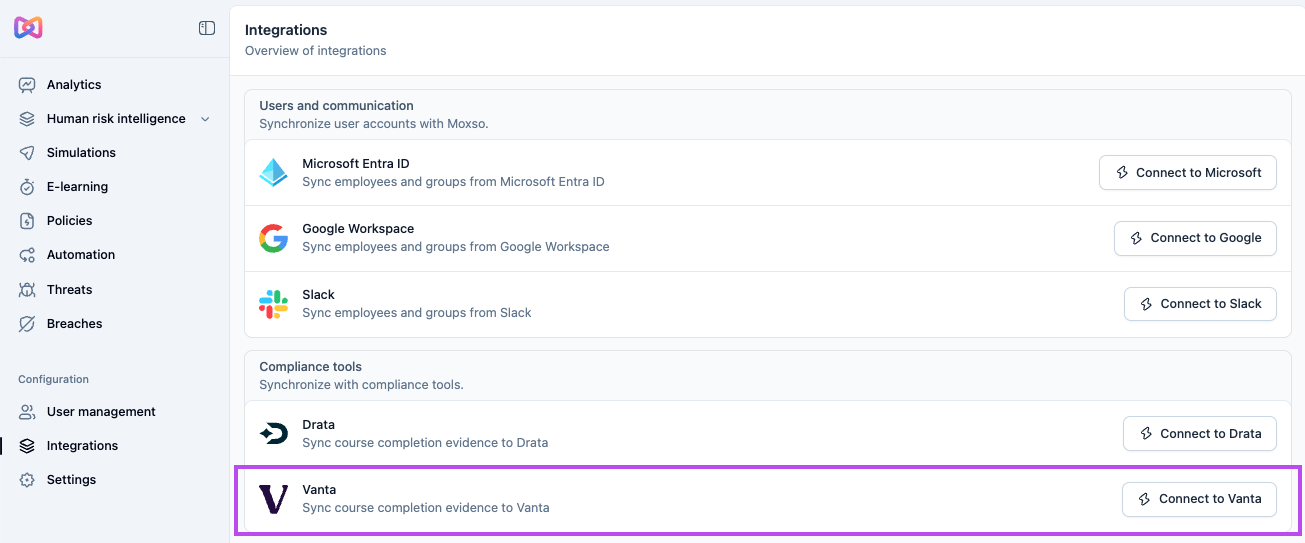
- Go to Integrations in the left navigation.
- Under Compliance tools, select Connect to Vanta.
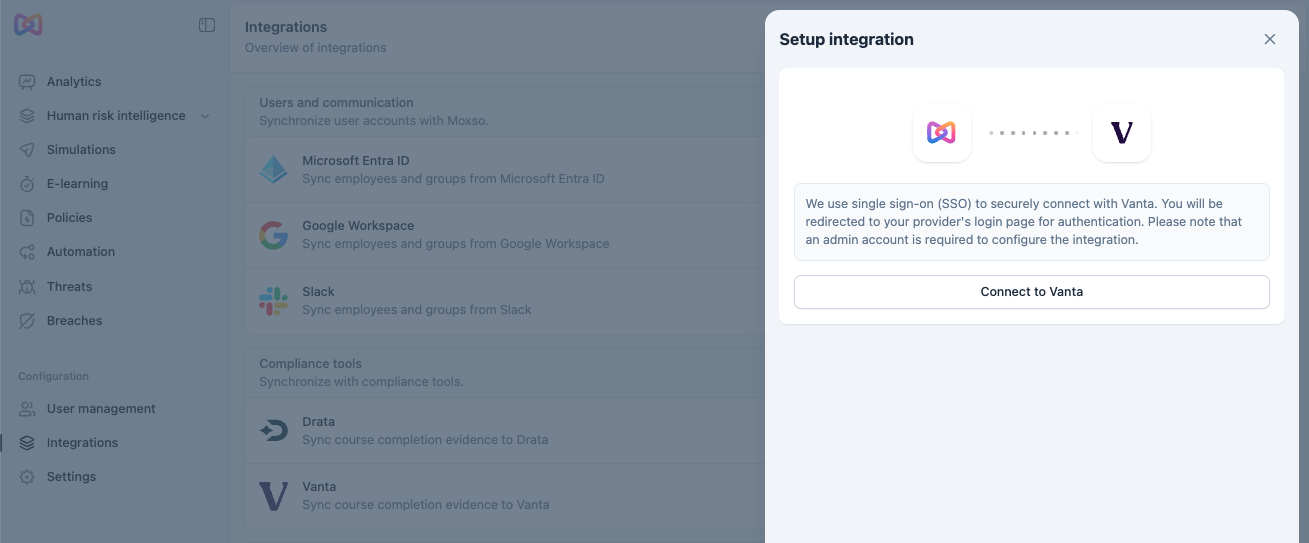
- You'll be redirected to Vanta to approve the connection. Sign in with your admin account and authorize access.
- Once approved, you'll be redirected back to Moxso.
The integration uses single sign-on (SSO) – no API key is required.
Monitor and manage the integration
Once connected, select Vanta from the Integrations page to open its detail page. From there you can:
- View the date of the first and most recent sync
- See a log of recent syncs, including how many employees were synced, how many were skipped, and the sync status
- Select Refresh data to trigger a manual sync
To adjust sync settings, select the Settings tab. You can enable or disable the integration using the Enable synchronization toggle, and change how often Moxso syncs with Vanta under Synchronization frequency. The available options are daily, weekly, and monthly.