Efficient Hub Training
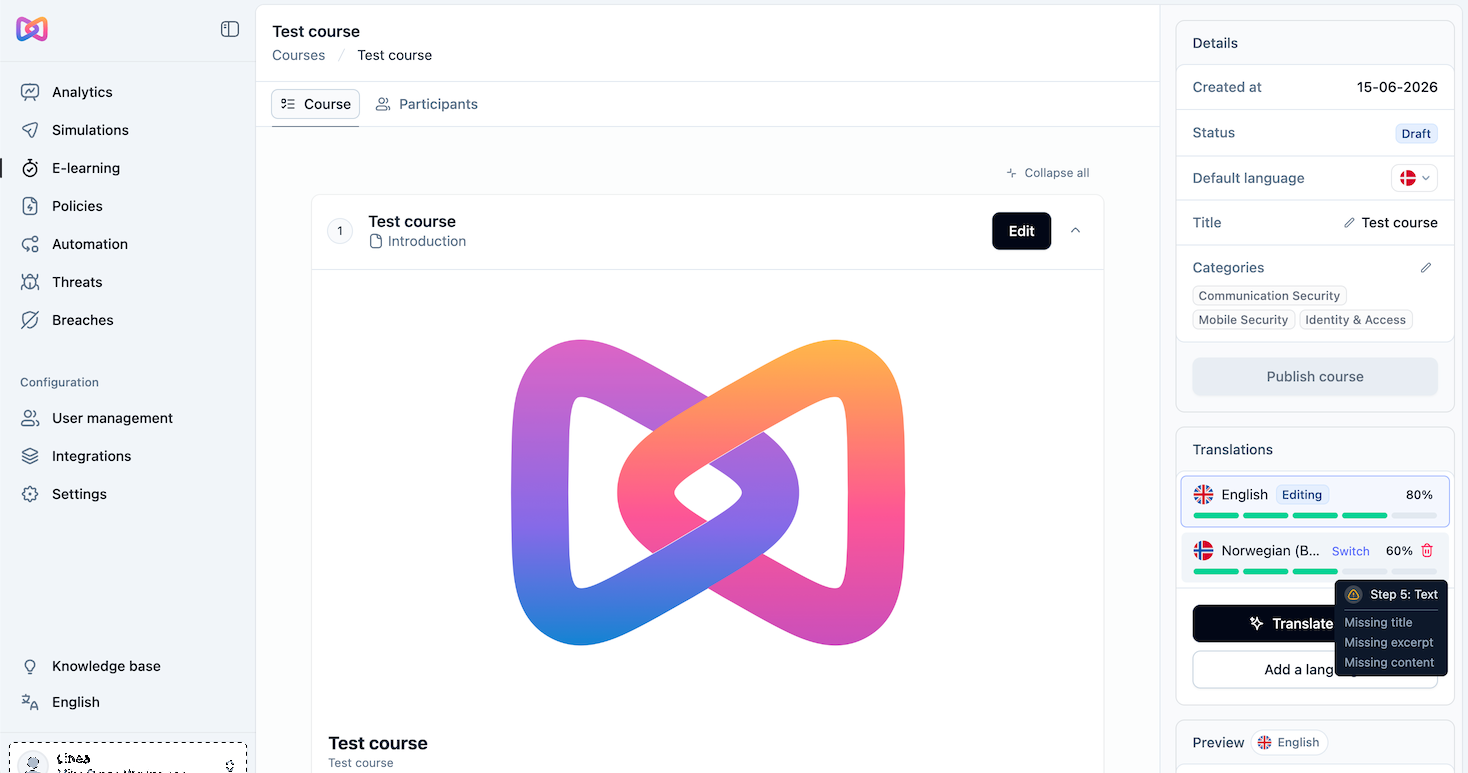
You'll find this under Settings > E-learning, as the Training restrictions and Leaderboard settings.
Efficient Hub Training is an optional setting that paces training, instead of letting employees complete many videos in one sitting.
When Training restrictions is enabled, optional courses aren't allowed, and optional videos and quiz questions are capped at 2 per week and 15 per week. Mandatory training stays unlimited. Employees can only start courses assigned to them while unassigned courses appear locked.
Admins can also enable a Hub leaderboard and choose whether it ranks employees by points or resilience score.
Adaptive Groups are here
You'll find this under User management > Groups > Create group.
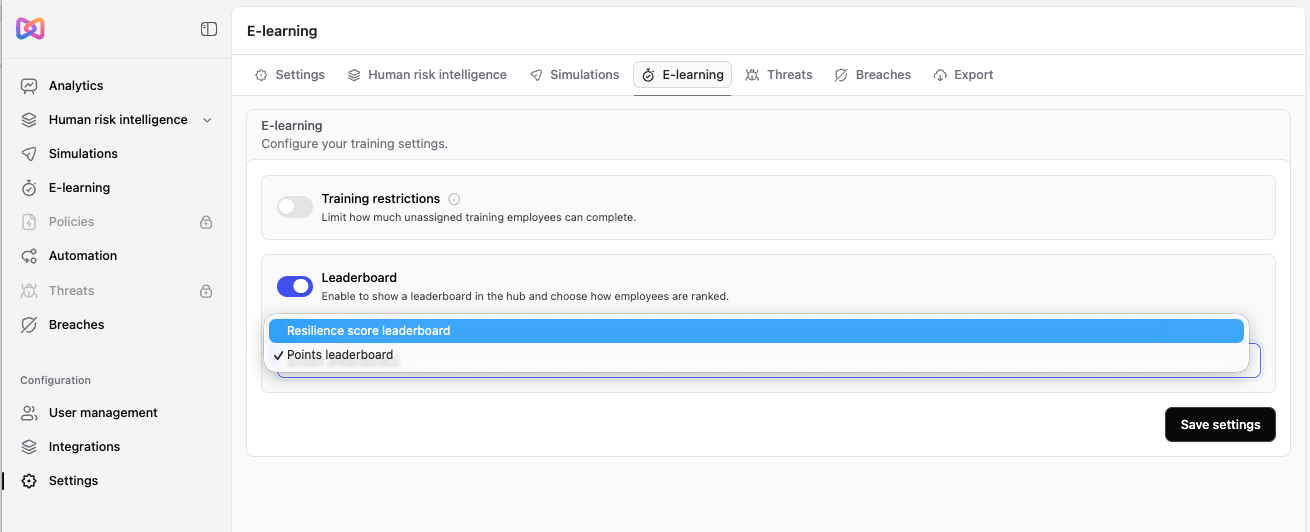
Groups based on department, role, or other attributes from your identity provider already stay in sync as your directory changes. Adaptive Groups go further: you build dynamic groups from a wider, more detailed set of rules, including behavioral signals like an employee's score, not just identity attributes, and combine multiple conditions with AND/OR logic.
Rules can be built from attributes such as email, department, language, score, onboarding status, integration provider (for instance, Microsoft Entra ID or Google Workspace), time zone, manager, and role, combined with operators like is, is not, contains, starts with, and ends with.
For example, a group called "High risk employees" could use these rules:
- Score is less than 60
- OR Role is Executive Leadership
From that point on, the group stays current on its own. If an employee's score drops below 60, they're added. If it improves, they're removed. If someone joins the executive team, they're included right away.
Adaptive Groups work like any other group across Moxso. Use them to:
- Target phishing simulations
- Assign policies and training
- Start automations
- Filter reports and analytics
Groups also stay in sync with your identity provider. As employees are created, updated, deactivated, or moved between departments, membership is recalculated continuously, so every simulation, policy, and automation always targets the right people.
Adaptive Groups are available on every pricing plan.
Expanded compliance framework support
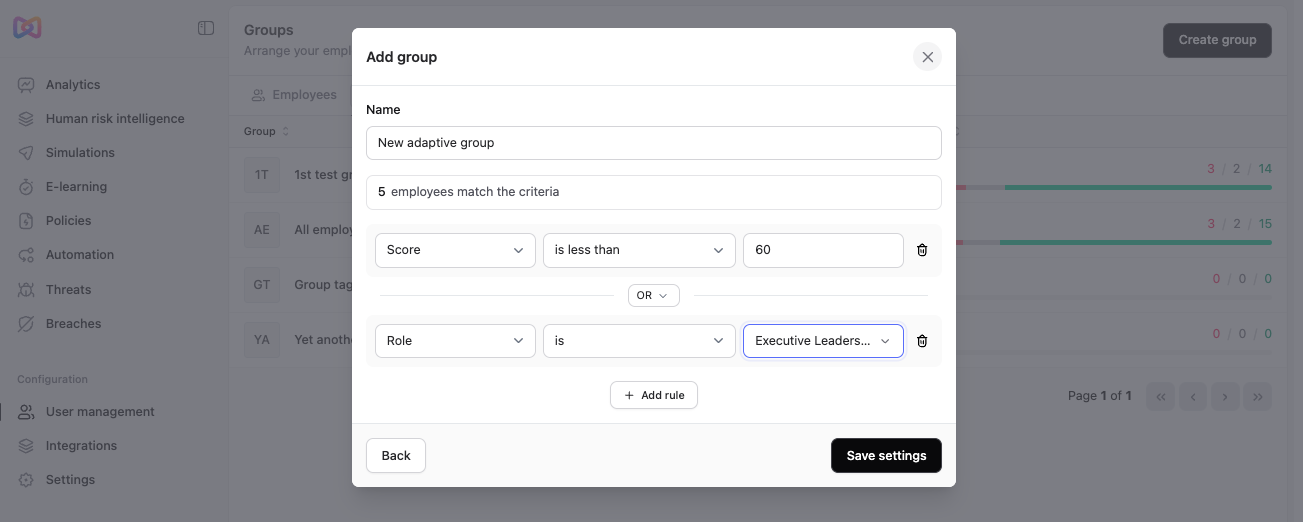
You'll find this under Settings > Human risk intelligence > Frameworks.
Human Risk Intelligence (HRI) now maps to a wider set of regulatory and security frameworks. We've added support for ISO/IEC 27005, the EU AI Act, and the Digital Operational Resilience Act (DORA), alongside the frameworks HRI already supports.
Select one or more frameworks under Frameworks, and HRI prioritizes training based on what matters to your organization. When an employee is assigned training, you can see exactly which requirement it maps to, down to the specific control, such as ISO 27001 A.5.34 or NIS2 A.21(2)(i).
This makes it easier to demonstrate compliance and spot gaps as regulations change.
Automatic user provisioning with SAML and SCIM
You'll find this under Settings > SAML single sign-on and Settings > SCIM connections.
Customers can now control exactly who gets synced into Moxso, without managing users manually.
Provisioning runs through your identity provider (IdP), currently Microsoft Entra ID and Okta. Instead of syncing your entire directory, you assign specific users or groups to the Moxso app in your IdP, and only those users sync. Account creation, attribute updates, and deactivation all happen automatically as those assignments change, typically within 40 minutes, or immediately with a manual sync.
SAML and SCIM are independent, so you can turn on SAML for admin and employee login without enabling SCIM provisioning, if you just want single sign-on.
Note: once SCIM is enabled, user and group management in Moxso becomes read-only. Users and groups must be managed from your IdP from that point on; disabling the SCIM connection restores manual management in Moxso without removing existing users.
SAML and SCIM support is available on every pricing plan.
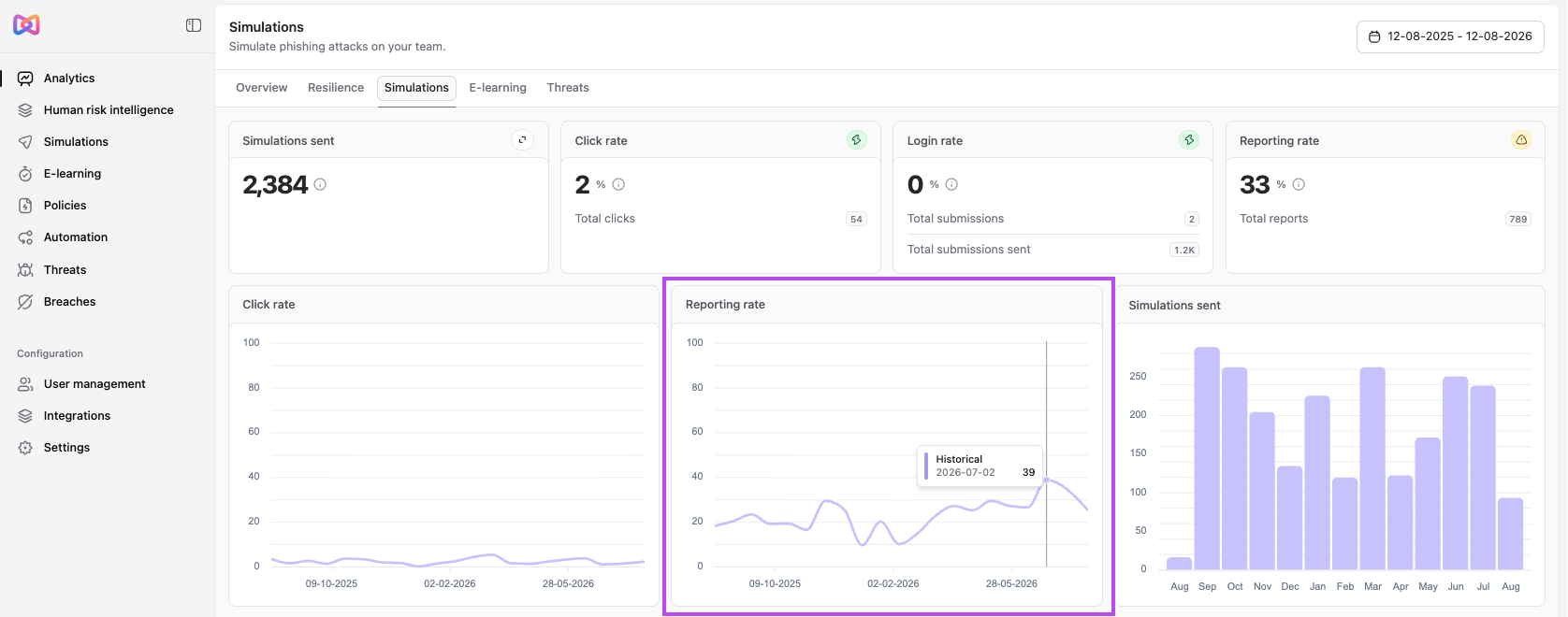
Historic click and reporting rate charts
You'll find this under Analytics > Simulations.
The Simulations tab now shows click rate and reporting rate as charts over time, alongside simulations sent. This gives you a clearer view of how performance develops, instead of just the current numbers.
Filter Deadlines by content
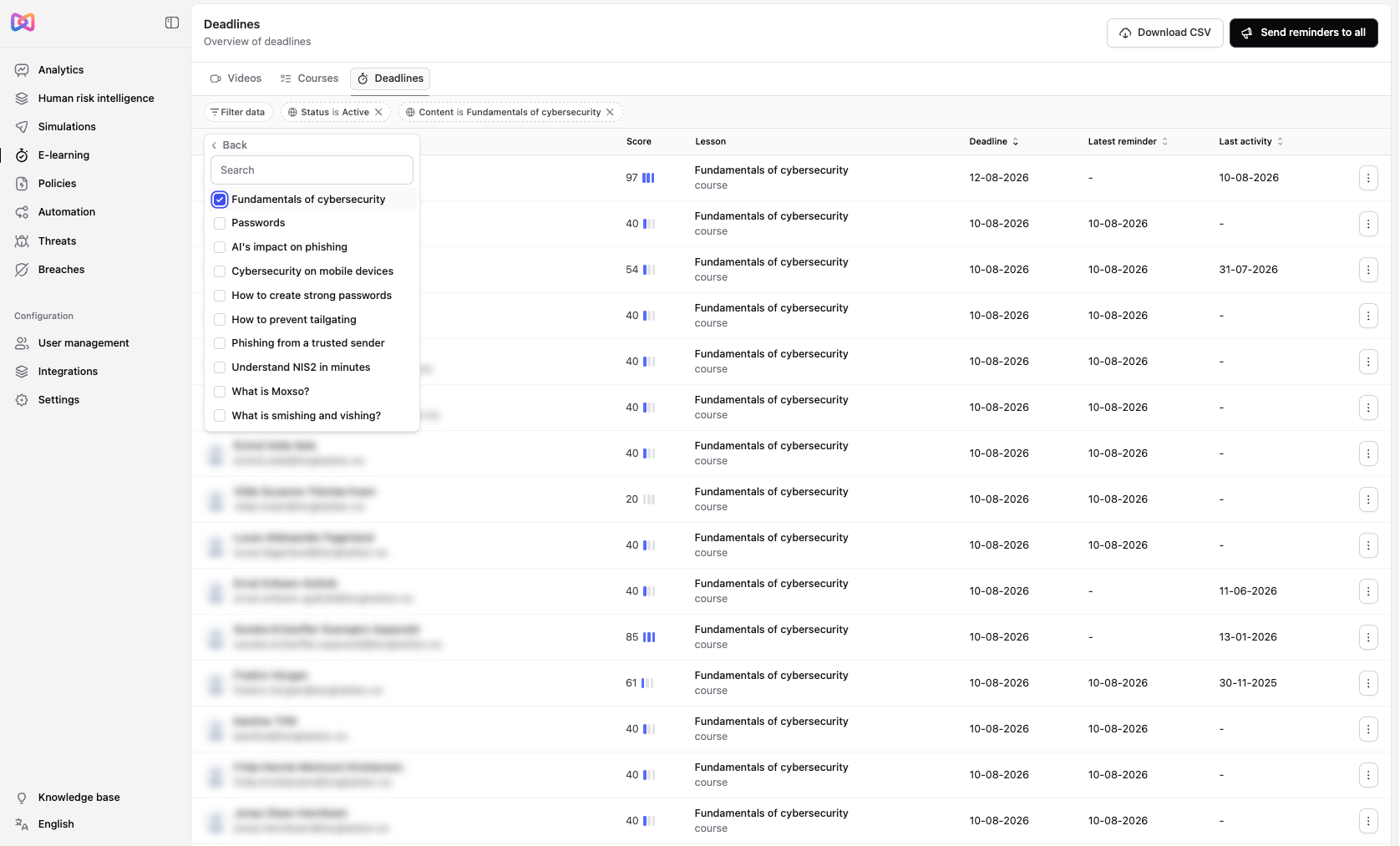
You'll find this under E-learning > Deadlines.
The Deadlines table now lets you filter by specific content, such as a particular policy or video, and by content type. Combine this with the existing filters to narrow down exactly who you're looking for.
Policy improvements
You'll find this under Policies.
We've made a few improvements to how policy audits work:
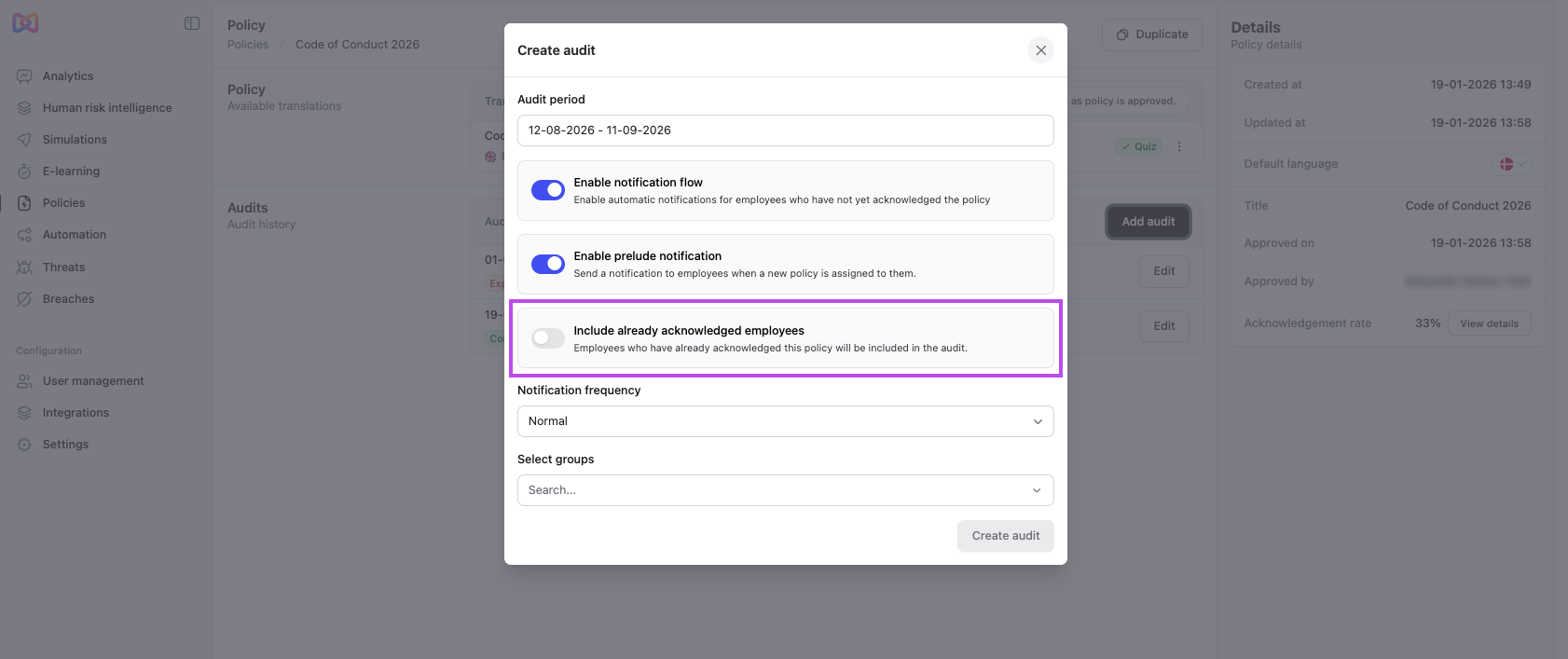
- Include already acknowledged employees. When starting an audit, you can now choose to include employees who already acknowledged the policy. This is off by default.
- Audit shows actual audience per group. The audit detail page now shows enrolled participants out of each group's total size, instead of just the group's total size.
- Acknowledgment rate and participation. The policy detail page now shows an acknowledgment rate across all audits. Select View details next to Acknowledgement rate to see participation per employee, including score, deadline, and acknowledgment date.
Redesigned course builder and default language settings
You'll find this in course, video, and policy detail pages, under E-learning and Policies.
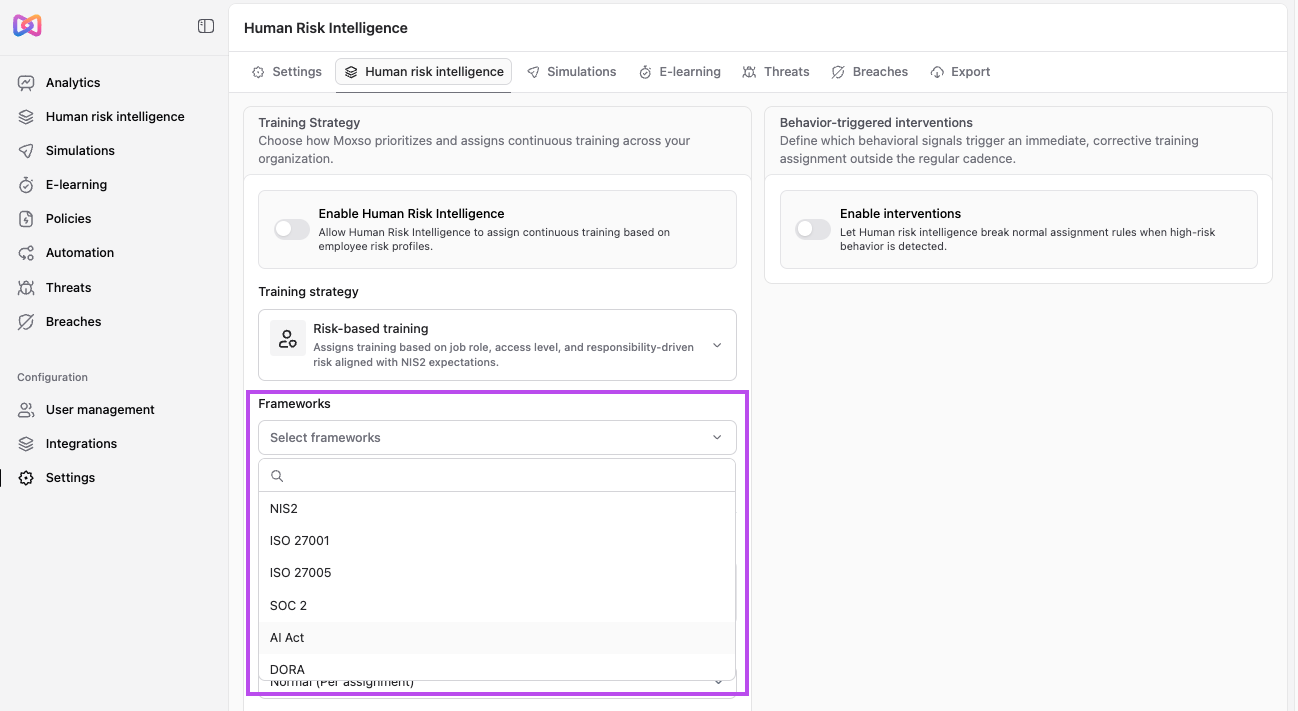
The course builder has a new layout. Translations now live in the sidebar, with a completion percentage and step-by-step status for each language, so you can see exactly what's missing, such as a missing title, excerpt, or content, and switch between languages without leaving the page.
Courses now support an internal name, separate from the title shown to employees. Custom courses, videos, and policies also support a configurable default language, which translations fall back to.