
Once the Intelligence layer has calculated a risk level for an employee, Moxso selects and starts a response automatically. The two main response types are assignments and interventions.
Assignments
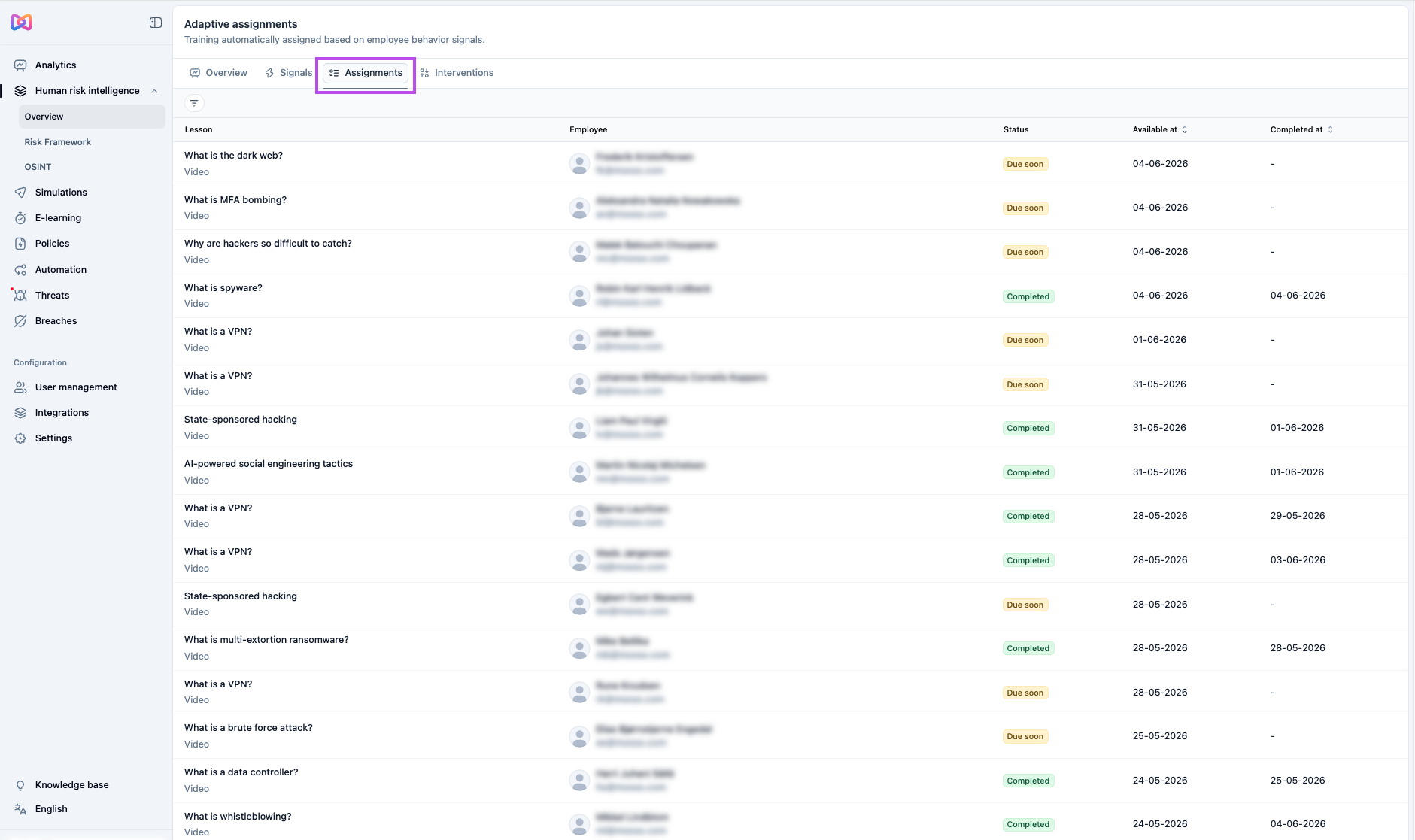
Assignments are training items (videos or courses) assigned to an employee based on their current risk profile. They appear in Human risk intelligence > Assignments, which lists all training automatically assigned based on employee behavior signals.
Assignments follow the normal scheduling rules you configure during setup: cooldown period, interval, and max assignments per run. By default, each evaluation produces at most one assignment per employee.
Each assignment shows the lesson name, the employee it was assigned to, its status (Completed, Due soon, or Overdue), the date it became available, and the date it was completed if applicable.
Interventions
Interventions are actions taken outside of the normal scheduling rules in response to a specific high-risk event. Depending on your configuration, an intervention can result in a new training lesson being assigned to the employee, a notification being sent to their manager, or both. They appear in Human risk intelligence > Interventions, which lists all interventions triggered by employee behavior.
Each intervention records the lesson assigned and/or the notification sent, the triggering signal that caused it (for example, Email simulation clicked with a Negative sentiment), and the employee it was assigned to.
Interventions are only triggered when intervention overrides are enabled in your HRI configuration. Three events can trigger an intervention:
- Phishing simulation failure: an employee fails a phishing simulation
- Breach exposure: an employee appears in a known data breach
- Training non-compliance: required training is overdue
For each trigger, you can configure whether Moxso assigns a new lesson, notifies the employee's manager, or both. You can also set a maximum number of interventions per employee within a 30-day window and a minimum number of days between intervention-based assignments for the same employee.
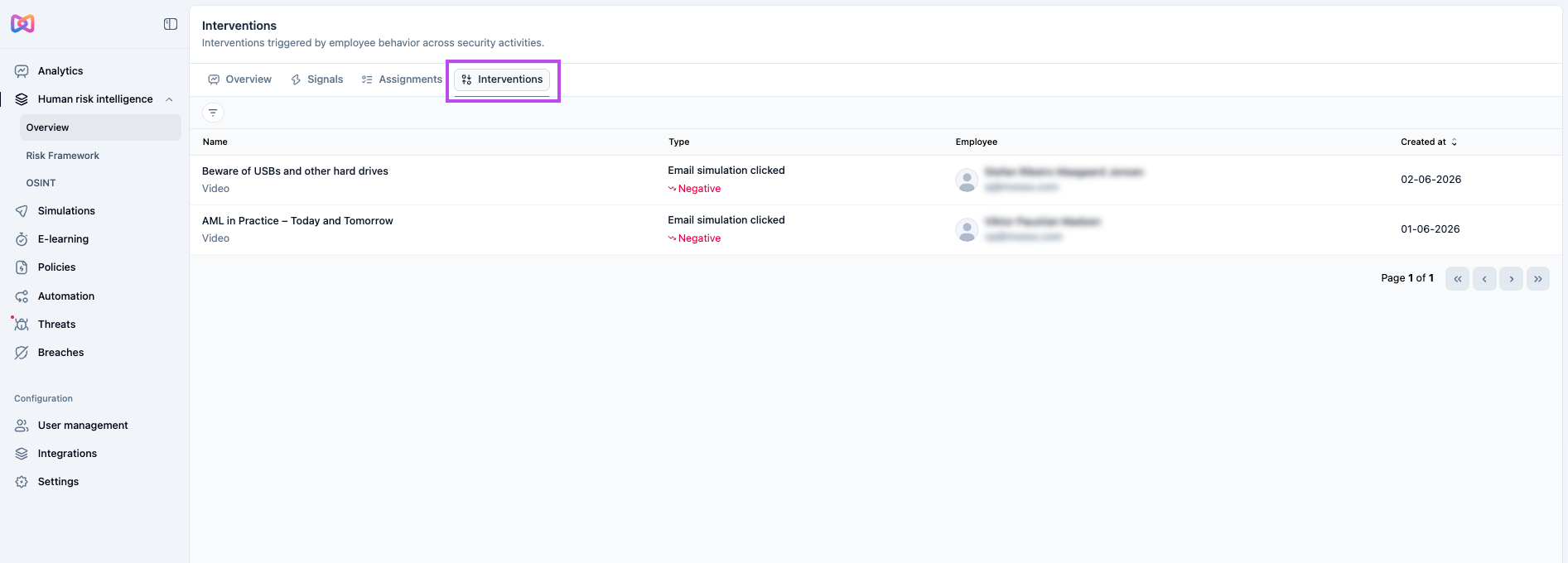
Clicking on an individual intervention opens a detail panel. The Intervention tab shows the assigned lesson, its status, availability date, and deadline, along with the employee's role, seniority, and access level. The Signals tab shows the signals that triggered the intervention, which can include behavioral signals (for example, Email simulation clicked) and contextual risk factors from the Intelligence layer.