
When Moxso sends a phishing simulation, it goes through several steps before it reaches the recipient. If something goes wrong at any of those steps, Moxso records an error status on the simulation's Activity tab: Simulations > [simulation name] > Activity. This article explains what each error means and what to do next.
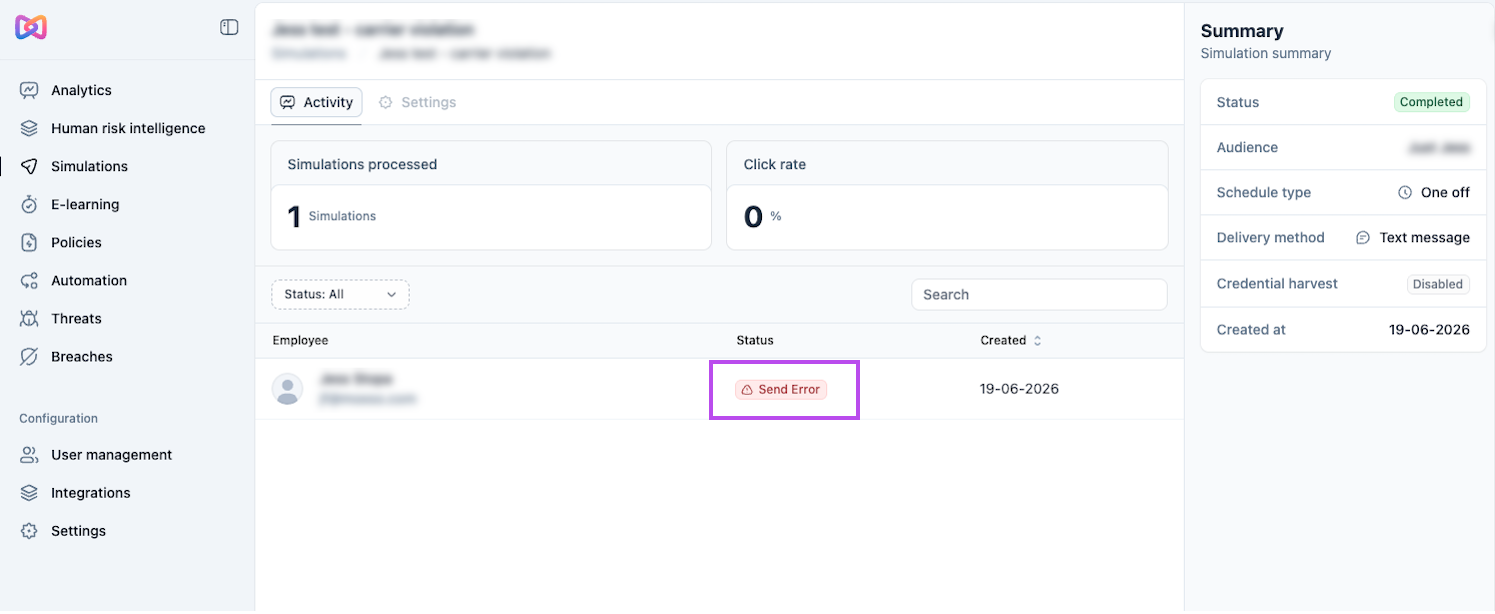
Template error
A template error means Moxso could not prepare the simulation for sending. This can happen if the selected template has invalid HTML, is missing a subject line or body, or cannot be found. These errors are rare and are usually the result of a bug — contact Moxso support and we'll investigate.
Receiver error
A receiver error means the recipient could not receive the simulation at the time of sending. Common causes include the recipient being inactive, not having an email address with a verified domain, or having an invalid phone number.
Check the recipient's profile to confirm their details are correct and that they're active. If the issue isn't clear, contact Moxso support.
Send error
A send error means Moxso handed the simulation off to the delivery provider, but the provider returned an error. The most likely cause is that the recipient's address is on a bounce list, though other provider-side issues are possible.
Moxso can remove a recipient from the bounce list, but if the underlying reason they ended up there hasn't changed, the simulation may bounce again. Contact Moxso support to investigate.
Delivery error
A delivery error means the simulation was sent but the recipient's carrier rejected it. This currently applies to SMS simulations (smishing) only and is most common when a carrier has strict spam filtering in place.
Delivery errors can't be resolved from the Moxso side. If you're seeing this consistently across multiple recipients on the same carrier, contact Moxso support with the carrier name — that information helps us investigate.